
Microsoft Word is a common tool used in offices and academic backgrounds. Yet, most people still do not know how to make a page number. Page numbers are important for organizing documents and making them easier to navigate. Here are some fast ways to make page numbers in Microsoft Word for beginners.
Using the Page Number Menu
The
fastest way to add page numbers to your document is by using the Page Number
feature. Here's how:
- Click on the Insert tab.

- Click on the Page Number menu.

- Select the Bottom of Page and pick the page number style you want to use.
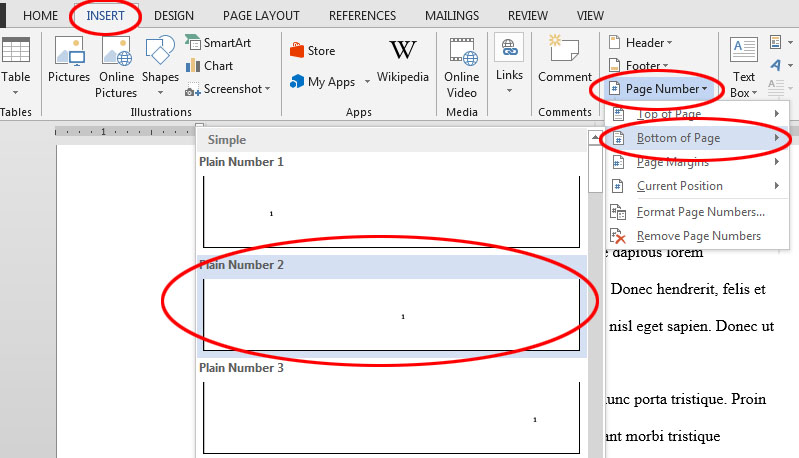
Your page number is done. So, it can be concluded that page numbers are an essential component. With Microsoft Word, adding page numbers is a simple process that can be accomplished in a short process if you understand the tools and master them.
Komentar
Posting Komentar